Category: Wallet Security

  • What Is an SEC Registered Crypto Exchange?

    What Is an SEC Registered Crypto Exchange?

    As regulatory scrutiny intensifies globally, the phrase “regulatory compliance” has become a central marketing claim for virtual asset platforms. Many exchanges display footer badges declaring they are registered or compliant. But for users in the United States and global investors, the most critical regulatory standard is the sec registered crypto exchange designation. Understanding this classification is key to protecting your capital from regulatory enforcement actions and platform shutdowns.

    In this guide, we will break down exactly what SEC registration means for virtual asset platforms, detail the difference between registering and licensing, and show you how to verify an exchange’s regulatory status using official government registries and XTSG’s verification tools.


    What Does SEC Registration Mean?

    In the United States, the Securities and Exchange Commission (SEC) regulates securities markets to protect retail investors, maintain fair and orderly markets, and facilitate capital formation. For a cryptocurrency exchange to be legally registered with the SEC, it must register as a national securities exchange or operate under an exemption, such as an Alternative Trading System (ATS) broker-dealer.

    Registration is not a simple form-filling exercise; it is an extensive, multi-year process that requires:

    • Full Asset Auditability: The platform must demonstrate that every asset listed is either not a security or has been registered as a security under federal laws.
    • Custodial Separation: Registered exchanges must segregate customer assets from corporate operational funds, preventing the co-mingling of capital that caused the collapse of FTX.
    • Market Manipulation Guards: The exchange must implement strict transaction surveillance systems to detect and block wash trading, front-running, and spoofing.

    Registering vs. Licensing: The Compliance Illusion

    Many crypto platforms exploit terminology to mislead users. It is crucial to distinguish between different compliance tiers:

    1. FinCEN Registration (MSB): A platform registered as a Money Services Business (MSB) with the Financial Crimes Enforcement Network is NOT registered with the SEC. FinCEN registration only means the platform reports suspicious transactions and complies with basic Anti-Money Laundering (AML) laws. It provides zero investor protection or asset custody audits.
    2. State-Level Licenses (MTL): A Money Transmitter License (MTL) is granted by individual states (like the New York BitLicense). While MTLs enforce capital reserve rules, they do not verify if the tokens traded are unregistered securities or monitor order books for wash trading.
    3. SEC Registration: This is the highest compliance tier. A platform registered with the SEC is authorized to facilitate the trading of securities, operates under strict SEC oversight, and carries legal liability for market integrity.

    The Risks of Trading on Unregistered Exchanges

    Trading on platforms that operate outside SEC registration carries severe operational and legal risks:

    • Asset Seizure and Delistings: The SEC regularly issues Wells Notices or lawsuits to unregistered exchanges. When this happens, exchanges often panic-delist dozens of tokens, preventing you from trading or withdrawing your assets.
    • Lack of Insolvency Protection: If an unregistered exchange goes bankrupt, customer deposits are treated as unsecured debt. The platform’s creditors are paid first, and you may lose 100% of your funds.
    • Unmonitored Order Books: Without SEC oversight, unregistered exchanges can run internal trading desks that trade against their own users, inflating volume and executing stop-losses artificially.

    Verifying Exchange Compliance with XTSG Tools

    Independent verification is your best defense against regulatory surprises. Do not trust marketing claims on exchange homepages. Instead, use official channels and XTSG tools:

    1. Cross-Reference Official SEC Databases

    You can search for registered broker-dealers or Alternative Trading Systems (ATS) directly on the SEC’s official EDGAR database or FINRA’s BrokerCheck portal. If an exchange claims to be compliant but does not appear on BrokerCheck under its corporate name, it is operating unregistered.

    2. The XTSG VASP Verification Portal

    The XTSG VASP Verification Portal aggregates compliance records from the SEC, FinCEN, SEC Nigeria, and other international regulators in real-time:

    • Compliance Scorecards: Search any exchange name on XTSG to view its registered corporate entity, active regulatory licenses, and any pending enforcement notices.
    • Licensed VASP Verification: Confirm if the platform holds a Virtual Asset Service Provider license in your local jurisdiction before you transfer assets.
    • Exchange Safety Reviews: Read comprehensive safety audits detailing the exchange’s proof-of-reserves, hack history, and user feedback.

    A compliant platform is a safe platform. Verify registration status before depositing funds. Use XTSG’s licensed VASP tools to audit exchange legitimacy and keep your capital protected.
  • Crypto Escrow Guidelines: Stay Safe in P2P Trades

    Crypto Escrow Guidelines: Stay Safe in P2P Trades

    When you trade cryptocurrency directly with a stranger online, a fundamental problem arises: Who goes first? If the buyer sends the fiat payment first, the seller might pocket the money and refuse to send the crypto. If the seller sends the crypto first, the buyer might disappear without paying. This classic double-spend or trust dilemma is solved through a mechanism called Escrow.

    A crypto escrow service acts as a trusted middleman that holds the cryptocurrency in a secure lockbox until both parties fulfill their end of the trade. However, in recent years, scammers have learned to hijack and spoof the escrow process. In this guide, we outline the essential crypto escrow guidelines to help you spot fraudulent systems and trade peer-to-peer safely.


    How Crypto Escrow Works

    A legitimate escrow process follows a simple, linear workflow:

    1. Trade Agreement: The buyer and seller agree on the terms of the swap (e.g. 1,000 USDT for NGN).
    2. Asset Funding (Escrow Lock): The seller deposits the cryptocurrency into the escrow smart contract or platform wallet. The seller cannot withdraw the assets during this time.
    3. Fiat Payment: Once the platform verifies that the crypto is locked in escrow, the buyer sends the fiat payment directly to the seller’s bank account or payment method.
    4. Verification & Release: The seller confirms receipt of the fiat payment and clicks the “Release” button. The escrow platform releases the locked crypto to the buyer.

    If a dispute occurs (e.g. the buyer claims they paid but the seller says they received nothing), the escrow system acts as an arbitrator. Both parties submit proof of payment or bank statements, and the moderator manually routes the locked crypto to the rightful owner.


    Red Flags: How Scammers Spoof Escrow

    Scammers use social engineering to trick you into bypassing the escrow safety net. Watch out for these common red flags:

    • Off-Platform Escrows: The seller says: “Let’s use an independent admin from this Telegram group to hold the funds; it has lower fees.” These groups are almost always run by the scammer and a bot or secondary account posing as the admin.
    • Fake Escrow Notifications: Scammers send spoofed emails or SMS alerts that look like they came from the official platform (e.g. Binance or Paxful) saying: “System Notice: The buyer has funded the escrow. Please transfer the fiat to release the funds.” Always verify the status directly inside the official app; do not trust email alerts.
    • Urgency and Pressure: The buyer claims their bank app is failing and pressures you to release the crypto before the fiat clears, promising to send transaction updates later. Once you click release, the transaction is irreversible.

    Essential Crypto Escrow Guidelines

    To ensure your P2P trades remain secure, implement these basic operating rules:

    1. Use built-in platform escrows: Only trade on established platforms (such as Binance P2P, Paxful, or OKX) that have automated, smart-contract-controlled escrow systems. Never trade via DM on Twitter, Telegram, or Discord.
    2. Log in to verify: Always log into the official application and inspect the order page. If the order status does not say “Assets Locked in Escrow” or “Paid” within the app database, do not proceed.
    3. Keep proof of all interactions: Take screenshots of bank transfers, transaction reference numbers, and platform chats. If a dispute occurs, these records are your only leverage.

    Checking Platform Legitimacy with XTSG

    With hundreds of new P2P platforms and escrow bots launching weekly, verifying the legitimacy of the service itself is a critical step.

    The XTSG Security Hub provides direct support here:

    • Escrow Verification Reviews: Search any P2P or escrow service name on XTSG to check if it has been audited by security researchers or if it is flagged as a phishing portal.
    • Scam Feed Alerts: The XTSG scam alerts monitor active Telegram group links, fraudulent websites, and spoofed emails mimicking escrow services.
    • Naira Trust Blueprints: Access specific NGN/USDT corridor guidelines to manage local currency risk and prevent payment delays.

    Escrow is a vital security layer for peer-to-peer trades, but it only works if you use verified systems. Audit your platforms on XTSG, follow the escrow rules, and keep your crypto safe.

  • P2P Crypto Trading Safety: The Complete 2026 Guide

    P2P Crypto Trading Safety: The Complete 2026 Guide

    Peer-to-peer (P2P) crypto trading is the lifeblood of retail trading and financial access in regions with restrictive banking policies. For users in Nigeria, the West African diaspora, and emerging markets, platforms like Binance P2P, Paxful, and local telegram escrows are essential channels for converting fiat currency to digital stablecoins like USDT. However, this direct interaction between buyers and sellers is highly targeted by financial criminals.

    If you trade peer-to-peer, you are exposed to risks beyond typical blockchain hacks: bank account freezes, fraudulent chargebacks, and identity theft. In this comprehensive guide, we will cover the most critical safety practices for p2p crypto trading safety in 2026, helping you vet counterparties and protect your funds.


    The Anatomy of P2P Fraud: How Traders Get Scammed

    P2P scams do not target smart contracts; they target human trust and traditional banking vulnerabilities. Here are the three most common exploits:

    1. The Chargeback Scam

    The buyer transfers fiat currency to your bank account using a stolen debit card, a hacked bank profile, or a payment system that allows reversals (like PayPal). Once you receive the bank alert, you release the crypto. Days later, the legitimate owner of the bank account reports the fraud, and the bank reverses the transfer or freezes your account, leaving you with no fiat and no crypto.

    2. Fake Proof-of-Payment (SMS/Email Spoofing)

    The buyer marks the trade as paid and sends a screenshot of a fake transfer receipt or triggers a spoofed SMS alert that looks like it came from your bank. If you release the crypto based solely on the screenshot without logging into your banking application to verify the settled balance, you will lose your assets.

    3. Third-Party Payment Fraud (Triangular Scams)

    The scammer creates a fake advertisement selling an item (like a laptop) on a local marketplace. When a real buyer contacts them, the scammer opens a buy order on a P2P crypto exchange for the equivalent amount. The scammer instructs the laptop buyer to send payment to the crypto seller’s bank account. Once the bank transfer is made, the crypto seller releases the crypto to the scammer. The laptop buyer receives nothing, reports fraud, and the crypto seller’s bank account is blocked as an accessory to fraud.


    The P2P Safety Protocol: How to Trade Securely

    To avoid P2P scams and protect your bank account from freezes, you must enforce a strict operating protocol:

    1. Verify settled bank balances directly: Never release crypto based on screenshots, SMS alerts, or emails. Always log into your official banking app and confirm that the funds have settled into your available balance.
    2. Match account names exactly: The name on the buyer’s bank account must match their verified name on the P2P platform exactly. If a buyer says: “I am paying from my wife’s bank account,” reject the trade immediately. Third-party payments are the primary cause of bank blocks.
    3. Keep all communications on-platform: Never agree to chat on WhatsApp, Telegram, or Discord. If a dispute occurs, the P2P platform’s moderators will only accept chat logs that occurred within the official platform interface.
    4. Use a dedicated bank account: Maintain a separate bank account solely for P2P transactions. Do not link this account to your main savings, utility bills, or primary salary accounts. If the account is temporarily frozen for investigation, your primary financial life will not be disrupted.

    Advanced Safeguards: Nigerian Naira Trade Shields with XTSG

    Standard P2P platform moderators are often slow and lack local context when handling disputes in specific corridors like the Nigerian Naira (NGN). This is why active P2P traders utilize the XTSG P2P Trading Hub.

    The XTSG P2P Trading Hub provides specialized tools for high-volume traders:

    • Naira Trade Shields: A registry of verified P2P merchants who have deposited security bonds with XTSG, providing a secondary layer of insurance against chargeback fraud.
    • Compliance Blueprints: Download legal frameworks and bank dispute response templates to resolve account freezes and clarify transaction legitimacy with local banks.
    • Scam Alert Feed: Stay updated on active P2P scam groups, blacklisted bank accounts, and spoofing techniques targeting local payment networks.

    Trading peer-to-peer is a powerful tool for financial freedom, but it requires strict compliance. Set up your safety gates, vet bank accounts on the XTSG registry, and trade securely.

  • What Is a Reentrancy Attack in DeFi? Full Guide

    What Is a Reentrancy Attack in DeFi? Full Guide

    In the history of blockchain exploits, one vulnerability stands out as the most historically significant and economically damaging: the reentrancy attack. It was the exact vector used in 2016 to drain 3.6 million Ether from The DAO, forcing the Ethereum network to execute a controversial hard fork that split the chain into Ethereum (ETH) and Ethereum Classic (ETC). Even in 2026, reentrancy remains a common vulnerability in new Solidity smart contracts.

    For DeFi users and Web3 developers, understanding this vector is crucial. In this guide, we will break down what a reentrancy attack defi vector is, explain its mechanics using a simple code-free analogy, review real-world hacks, and explain how you can protect your assets before interacting with protocols.


    The Code-Free Analogy: The Bank Teller Loop

    To understand reentrancy mechanically, imagine you walk into a traditional physical bank to withdraw $100 from your account, which has a balance of $100. The withdrawal protocol should look like this:

    1. You request the withdrawal.
    2. The teller checks your balance ($100).
    3. The teller gives you the cash ($100).
    4. The teller updates your balance ledger to $0.

    Now, imagine a flaw in the teller’s instructions: they give you the cash first, and only update the ledger afterwards.

    An attacker exploits this flaw by using a trick:

    • The attacker requests a withdrawal of $100.
    • The teller verifies the balance ($100) and hands the attacker the cash.
    • Before the teller can reach for the pen to update the ledger, the attacker immediately calls out: “Wait, I want to withdraw another $100!”
    • Because the teller has not updated the ledger yet, the book still says the attacker has $100. The teller checks the book, sees $100, hands over another $100 cash, and is interrupted again.
    • This loop repeats recursively until the bank’s vault is entirely empty.

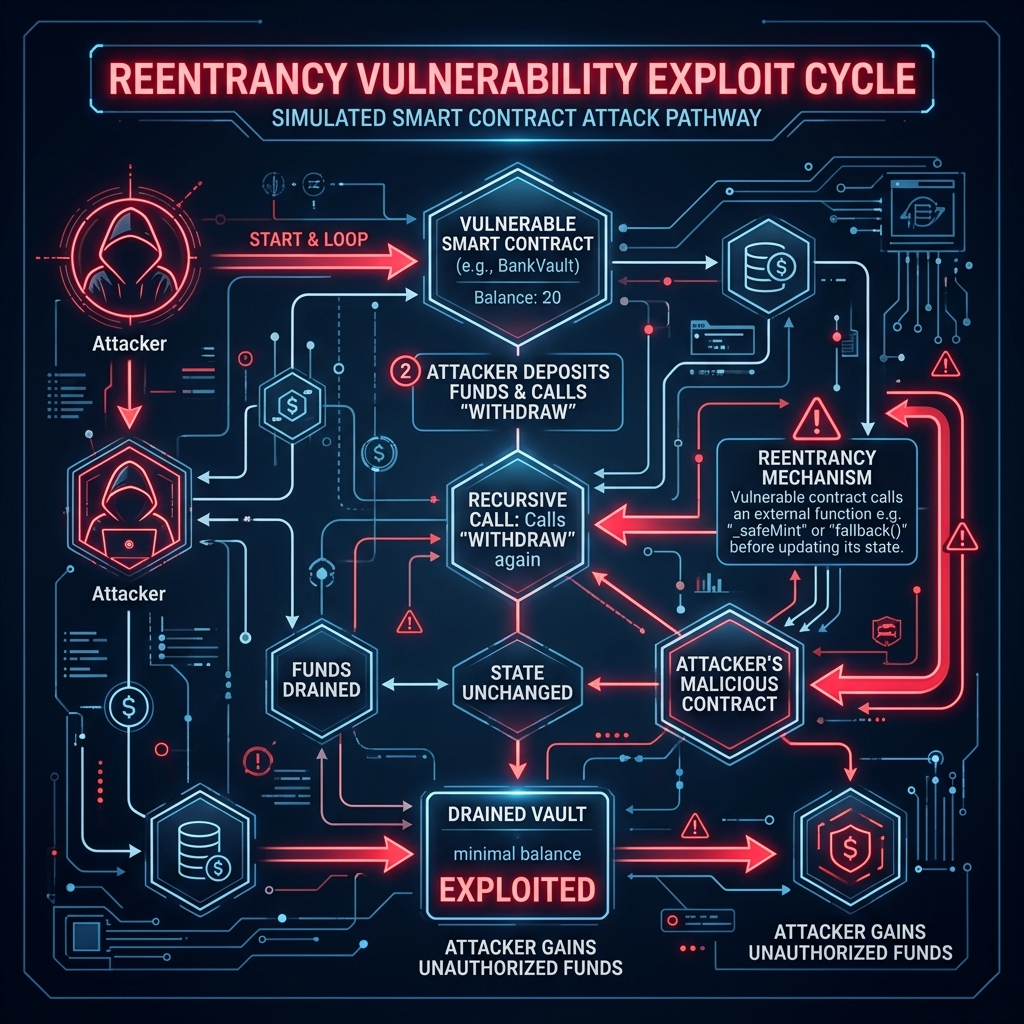
    In smart contracts, this is called reentrancy. The external contract (the attacker) interrupts the execution flow of the victim contract (the bank) by recursively calling the withdraw function before the victim contract can update its internal state balance ledger.


    The Solidity Mechanics: Withdraw-Before-Update

    In Solidity (Ethereum’s primary programming language), this exploit is caused by violating the Checks-Effects-Interactions pattern. A vulnerable contract function looks like this:

    
    // VULNERABLE CODE EXAMPLE
    function withdraw() public {
        uint256 bal = userBalances[msg.sender];
        require(bal > 0);
        
        // Interaction: sending ether to msg.sender triggers fallback
        (bool success, ) = msg.sender.call{value: bal}("");
        require(success);
        
        // Effect: updating the balance occurs AFTER the interaction!
        userBalances[msg.sender] = 0;
    }
    

    An attacking contract implements a fallback function. When the victim contract calls msg.sender.call, execution transfers to the attacker’s fallback function, which calls withdraw() again. Because userBalances[msg.sender] has not been set to 0 yet, the transaction checks pass, and more ether is sent. The loop only terminates when gas runs out or the victim contract is empty.


    How Users Can Audit and Protect Against Reentrancy Risk

    While reentrancy is a developer-level coding error, DeFi users bear 100% of the financial risk. You can protect your capital by checking these key details:

    1. Audit for Reentrancy Guards

    Secure protocols utilize OpenZeppelin’s standard ReentrancyGuard contract libraries. This adds a modifier called nonReentrant to functions. This modifier acts as a lock: it prevents a function from being entered recursively. Before depositing funds, verify if the protocol’s audit reports specifically state: “Reentrancy guards are correctly implemented on all public deposit/withdrawal interfaces.”

    2. Avoid Insecure Forks

    Many DeFi exploits happen to “forks”—new platforms that copy the code of established protocols like Uniswap or Compound but make minor changes or deploy on new chains. Developers copying code often forget to implement matching security modifiers, leaving the new protocol open to reentrancy exploits.


    Monitoring DeFi Threats with XTSG

    Because smart contract exploits happen in real-time, manual code auditing is not enough for active DeFi traders. You need live telemetry.

    The XTSG On-Chain Risk Dashboard is designed to provide this warning system:

    • Active Exploit Detection: The dashboard monitors public mempools (where transactions wait to be processed) for abnormal recursive function calls or flash loan patterns. If a reentrancy attack begins on a protocol you are using, the system alerts you immediately.
    • Contract Safety Scores: Search any protocol address on XTSG to get a comprehensive safety report, highlighting whether reentrancy guards are present and detailing their multi-signature threshold status.

    Before you deposit funds into any pool, verify the contract safety on XTSG. Keep your long-term capital isolated, audit audit reports, and stay ahead of on-chain exploits.

  • Smart Contract Exploit Prevention: A DeFi User’s Guide

    Smart Contract Exploit Prevention: A DeFi User’s Guide

    Decentralized Finance (DeFi) has unlocked unprecedented financial utility, allowing users to lend, borrow, and trade assets without middlemen. But this open, composable structure carries a massive threat surface. Unlike traditional banks where funds are secured by legal insurance and server firewalls, DeFi deposits are secured solely by code. If a protocol’s smart contract contains a logical bug, hackers can drain the entire liquidity pool in seconds.

    For DeFi participants, smart contract exploit prevention is a vital skill. In this guide, we will walk through the most common smart contract exploit vectors—including reentrancy, oracle manipulation, and flash loan attacks—and outline the practical steps you can take to protect your funds before interacting with any decentralized protocol.


    Under the Hood: The Most Common DeFi Exploit Vectors

    Smart contract exploits are not traditional database hacks. The hacker does not guess administrative passwords; they interact with the public functions of the contract in ways the developer did not anticipate. Here are the three primary methods:

    1. Reentrancy Attacks

    A reentrancy attack occurs when a smart contract sends funds to an untrusted external contract before updating its internal state balance. The external contract (controlled by the attacker) executes a fallback function that calls the withdraw function again, recursively draining the contract’s funds before the first transaction can update the balance ledger. The classic DAO hack of 2016 is the most famous example of this vector.

    2. Oracle Manipulation

    Many DeFi lending platforms rely on decentralized oracles to determine the real-time price of assets (such as collateral). If a platform reads the price from a single, low-liquidity pool, an attacker can borrow massive capital, artificially inflate the price of a token in that specific pool, use their inflated tokens as collateral to borrow other valuable assets, and then leave the protocol with bad debt.

    3. Flash Loan Attacks

    Flash loans allow anyone to borrow millions of dollars in crypto without collateral, provided the loan is repaid within the exact same blockchain transaction. Attackers combine flash loans with oracle manipulation or contract balance exploits, acquiring vast capital to force pricing inefficiencies in a single block and walking away with risk-free profit.


    Step-by-Step: How Users Can Prevent Exploit Exposure

    While users cannot rewrite a protocol’s smart contract, they can perform simple security audits to identify high-risk platforms. Before depositing capital, run through this checklist:

    1. Check Audit Records: Never deposit funds into an unaudited protocol. Verify that the contracts have been reviewed by reputable security firms (e.g. CertiK, OpenZeppelin, Trail of Bits). Multiple audits from different firms are a strong indicator of safety.
    2. Review Multi-Signature Governance: Verify who controls the protocol’s upgrade keys. If a single developer wallet can modify the contract code without a multi-signature threshold or a timelock delay, the protocol is highly vulnerable to a rug-pull or single-point-of-failure hack.
    3. Audit Total Value Locked (TVL) vs. Domain Age: Scams and vulnerable forks often buy fake volume. If a protocol has $50 million in TVL but its domain was registered two weeks ago, it is highly likely to be a honey-pot or an insecure copy of another protocol.
    4. Limit Token Approvals: When approving a protocol, never grant unlimited access to your wallet’s entire balance. Only approve the exact amount of tokens you plan to deposit, and revoke the approval using Etherscan or Revoke.cash when you exit.

    Hands-On Sandbox Testing with XTSG

    Analyzing smart contract risk theoretically is important, but practical experience is far more effective. This is why we created the XTSG Smart Contract Threat Simulation Terminal.

    The simulation terminal is a safe, sandboxed environment where users can:

    • Run Exploit Scenarios: Execute simulated reentrancy, oracle manipulation, and flash loan attacks against dummy contracts to see exactly how funds are drained on-chain.
    • Inspect Transaction Payloads: Study what a malicious transaction payload looks like in your wallet interface before you sign it. Learning to spot these variables is the most effective way to prevent signing bad transactions.
    • Verify Contract Code: Test copy-pasted smart contract addresses against XTSG’s automated auditor to parse for logical flaws and owner privileges.

    DeFi offers incredible yield opportunities, but it requires a defensive mindset. Audit every protocol, run test scenarios in the XTSG simulator, and limit your wallet approvals to protect your hard-earned capital.

  • How to Revoke Smart Contract Approvals Safely

    How to Revoke Smart Contract Approvals Safely

    If you have traded on a decentralized exchange, minted an NFT, or deposited tokens into a yield farm, you have signed a transaction approval. In most Web3 interfaces, platforms default to requesting “unlimited approval” to spend your tokens. This is designed to save you gas fees on subsequent trades. However, it also creates a massive security loophole. If that protocol is ever exploited, or if the developers perform an exit-rug, every wallet that has an active allowance can be drained of its tokens, even if they are stored offline.

    To secure your wallet, you must know how to perform a revoke smart contract approval process. In this step-by-step guide, we will explain exactly what smart contract approvals are, why legacy allowances are a silent security threat, and how to verify and revoke them using public blockchain tools.


    What Is a Smart Contract Approval?

    Unlike traditional databases, smart contracts cannot automatically withdraw tokens from your wallet address. To swap tokens on Uniswap or stake funds in a pool, you must first authorize the protocol’s smart contract to interact with your balance. This is done through standard ERC-20 token standards using two main functions:

    1. approve(address spender, uint256 amount): Authorizes a specific contract (spender) to withdraw up to a designated amount of tokens from your wallet.
    2. setApprovalForAll(address operator, bool approved): Used in NFT contracts (ERC-721/1155). This grants the operator permission to transfer all NFTs of that specific collection out of your wallet.

    When you click “Approve” in MetaMask or Rabby, you are writing an immutable record on the blockchain that says: “This contract address is allowed to spend my tokens.”


    Why Legacy Approvals Are a Silent Security Threat

    Many users assume that disconnecting their wallet from a Web3 site revokes approvals. This is incorrect. Disconnecting simply tells the frontend site to stop reading your public address. The approval record remains active on the blockchain ledger forever.

    This creates two major vulnerabilities:

    • Protocol Exploits: If a protocol you used three years ago has a vulnerability in its smart contract code, hackers can exploit that contract to call the transferFrom() function. Since you granted that contract an unlimited allowance, the hacker can drain your tokens directly from your wallet. This is exactly how the Multichain and SushiSwap Router exploits drained millions from offline wallets.
    • Phishing Drainers: Phishing sites are designed to mimic legitimate swap interfaces but display a transaction prompt requesting approval for a malicious contract address. Once you sign the approval, the drainer script instantly transfers your assets.

    Step-by-Step Guide: How to Revoke Approvals

    You can revoke approvals using dedicated revocation portals or block explorer tools. Here is how to clean up your wallet approvals safely.

    Method 1: Revoking via Revoke.cash

    Revoke.cash is the gold-standard interface for allowance auditing. It supports dozens of EVM chains and is highly intuitive.

    1. Navigate to the official Revoke.cash portal.
    2. Connect your hot or cold wallet (MetaMask, Rabby, Ledger).
    3. Audit the list of active approvals. It will show the token, the spender contract, the approved allowance (e.g. “Unlimited” or a specific amount), and the total asset exposure.
    4. Click the “Revoke” button next to any unneeded approval.
    5. Confirm the transaction signature in your wallet. This writes a new blockchain transaction resetting the allowance to 0.

    Method 2: Revoking via Block Explorers (Etherscan Token Approval Checker)

    If you want to avoid third-party interfaces, you can interact directly with Etherscan or other chain explorers.

    1. Go to Etherscan and select More -> Tools -> Token Approvals.
    2. Connect your Web3 wallet.
    3. Inspect the tabs for ERC-20, ERC-721, and ERC-1155.
    4. Click the Revoke button next to the spender address and sign the transaction in your wallet.

    Advanced Defense: Pair Revocation with XTSG Threat Monitoring

    Auditing and revoking approvals is a critical hygiene habit, but it is reactive. If you approve a smart contract that gets hacked five minutes later, manual auditing will be too slow. This is where the XTSG On-Chain Risk Dashboard comes in.

    By connecting your wallet to the XTSG monitoring suite, you establish an automated safeguard:

    • Pre-Sign Verifications: Before you approve any smart contract transaction, check the XTSG dashboard to verify the contract’s safety history and identify if it is a known malicious address.
    • Exploit Alerts: The dashboard monitors your active approvals in real-time. If an active exploit is detected on a smart contract you are approved to, the system will trigger a high-priority alert, prompting you to revoke the approval instantly before the exploit reaches your address.

    Keep your wallet clean and isolated. Use Etherscan or Revoke.cash to scrub your approvals monthly, and monitor active protocols with XTSG to maintain a complete Web3 security posture.

  • What Is a Cold Storage Crypto Wallet? Complete Guide

    What Is a Cold Storage Crypto Wallet? Complete Guide

    In the world of cryptocurrency, the most fundamental rule of security is also the most frequently ignored: “Not your keys, not your coins.” If you store your crypto on an exchange, or inside a hot wallet connected to your browser, your funds are only as safe as the operating system you are running. Zero-day browser exploits, remote trojans, and clipboard sweepers are active threats. To secure your capital, you must understand the paradigm of the cold storage crypto wallet.

    A cold storage crypto wallet is the absolute gold standard for storing digital wealth. In this comprehensive beginner-friendly guide, we will break down exactly what cold storage is, how it works mechanically to keep your private keys offline, and why it is one of the most effective defenses against modern phishing and smart contract exploits.


    What Is Cold Storage?

    To understand cold storage, we must first understand what a wallet actually holds. Your wallet does not contain your crypto tokens. Your coins live exclusively as ledger records on the public blockchain. What your wallet holds is your private key—a 256-bit cryptographic number that grants you the authority to sign transactions and transfer those coins to another address.

    The distinction between “hot” and “cold” custody comes down to one question: Is the private key exposed to an internet-connected device?

    • Hot Storage: The private keys are stored on a device connected to the internet (e.g. browser extension files, mobile applications, exchange server databases). If the host operating system is compromised, the keys can be stolen remotely.
    • Cold Storage: The private keys are generated and stored on a physical device that has never connected, and will never connect, to the internet. The keys are “cold” because they are thermally and digitally isolated from Web3 networks.

    How Cold Storage Works Mechanically

    Many beginners struggle to comprehend how an offline device can sign transactions on an online blockchain. The secret lies in the separation of the signing engine from the communication layer.

    When you want to transfer tokens using cold storage, the workflow follows a secure split-protocol:

    1. Transaction Compilation (Online): You use a companion application on your computer or phone (like Ledger Live, Trezor Suite, or Rabby) to prepare the transaction. You enter the recipient’s address and the amount of coins you want to send. The app compiles this into an unsigned transaction payload.
    2. Payload Transfer (Offline): The unsigned payload is sent to the physical cold storage device. This is done via a USB cable, a local Bluetooth connection, or by scanning a dynamic QR code (air-gapped communication).
    3. Transaction Signing (Isolated): Inside the cold storage hardware, a dedicated Secure Element chip reads the unsigned payload. Using your private key (which remains locked inside the chip), the device mathematically signs the transaction. The private key never leaves the chip.
    4. Broadcast (Online): The signed transaction payload (which now contains your digital signature but no private keys) is sent back to the online companion app. The companion app broadcasts the signature to the blockchain network to execute the transfer.

    Security Sandbox: Even if your PC is infected with a remote-access trojan (RAT), the hacker cannot steal your keys because they do not exist on the PC. The hacker can only send transaction payloads for your hardware wallet to sign. As long as you review the destination address on the device’s physical screen before pressing the buttons, you remain in complete control.


    Why Cold Storage Is Your Primary Shield Against Cybercrime

    Hardware wallets are built to survive in hostile environments. In 2026, the attack surface has expanded to target user vulnerabilities directly. Cold storage provides defense in three critical ways:

    1. Defense Against Phishing and Domain Spoofing

    If you visit a spoofed Uniswap site that prompts your hot software wallet to authorize a transaction, a hot wallet may immediately approve and execute the signature without warning. A cold storage device, however, acts as a physical gatekeeper. Because the device displays the raw transaction data on its physical screen, you are forced to pause, look at your hardware device, and notice if the contract addresses do not match, breaking the urgency cycle of phishing scams.

    2. Exposing Clipboard Sweepers

    Malware that replaces your copied address with a hacker’s address can easily compromise hot wallet transfers. If you copy a destination address, paste it into MetaMask, and click send, you might sign it without checking. With cold storage, the physical device screen reads the compiled data and displays the destination. When you look at the device screen, you will instantly see that the recipient address has been modified, stopping the transaction before you sign.

    3. Physical Protection

    If a software wallet database is exported from your browser by a local script, hackers can crack the password via brute force. Hardware wallets are protected by physical PIN numbers, and the Secure Element chip will automatically wipe itself after three incorrect PIN entries, rendering physical theft useless.


    The Ultimate Shield: Pairing Cold Storage with On-Chain Auditing

    While cold storage provides absolute protection for your private keys, it does not prevent you from making logical errors on-chain. If you connect your hardware wallet to a DApp and sign a transaction that grants “unlimited approval” to a malicious smart contract, your cold wallet cannot stop the contract from withdrawing your funds. The contract moves your funds on-chain, entirely bypassing the hardware device.

    To defend against these DeFi-specific threats, you must combine cold storage with active on-chain risk management:

    • XTSG Cold Storage Safety Module: Utilize the educational blueprints inside XTSG’s security classroom to audit your physical backup habits, steel seed storage configurations, and multi-signature setups.
    • XTSG On-Chain Risk Dashboard: Cross-reference all contracts you interact with against XTSG’s live threat registry. Before signing an allowance or transaction payload on your cold device, check the registry to confirm that the destination smart contract is fully audited and holds no active exploit signatures.

    Cold storage is the foundation of digital custody, but security hygiene is the active shield. Protect your assets from both local malware and on-chain drainers by combining hardware wallets with XTSG’s defensive resources.

  • Hardware Wallet vs Software Wallet: Which Is Safer in 2026?

    Hardware Wallet vs Software Wallet: Which Is Safer in 2026?

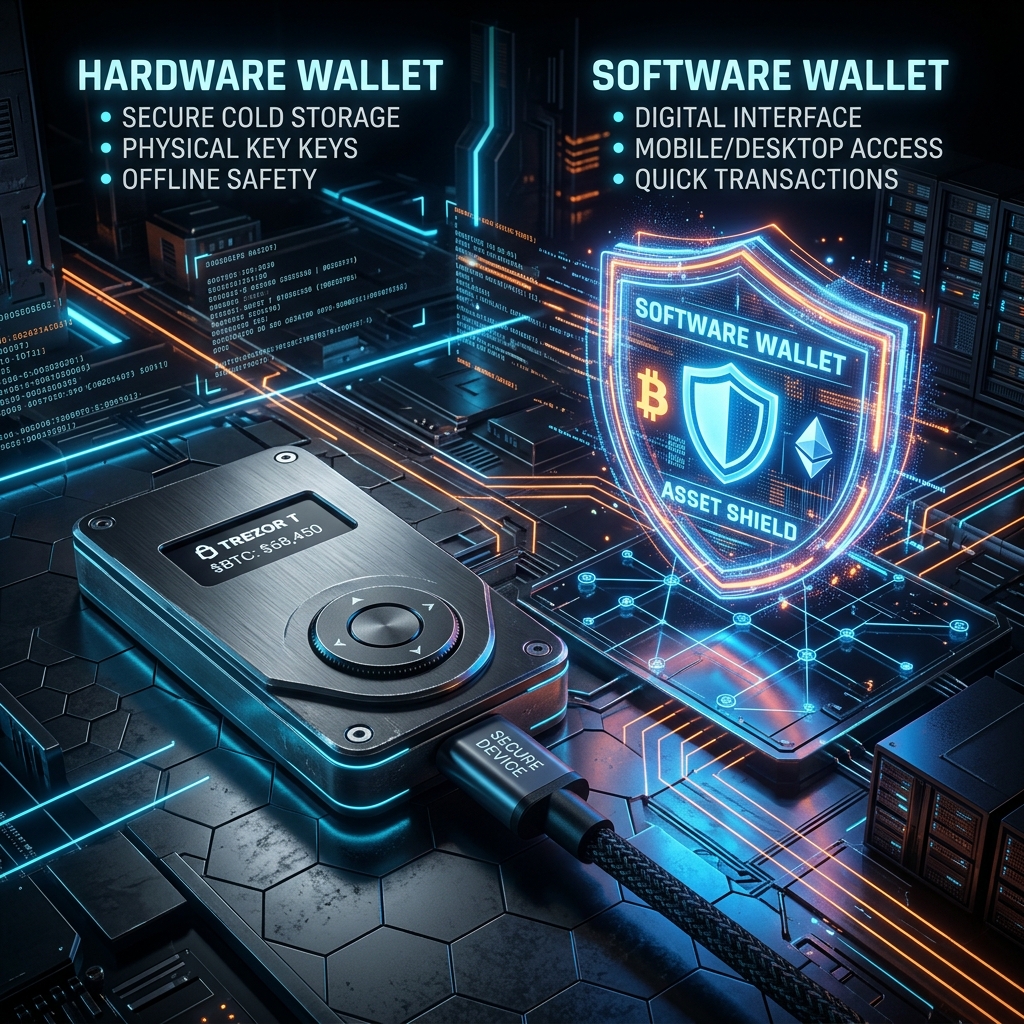
    As cryptocurrency markets scale and Web3 applications integrate deeper into global commerce, the question of asset security has evolved. Storing digital wealth is no longer just about memorizing a password; it requires managing complex cryptographic key infrastructures. For anyone actively trading or holding tokens, the fundamental choice comes down to a battle of architectures: Hardware Wallet vs Software Wallet.

    Each system is built on opposing trade-offs between convenience and vulnerability. In this comprehensive analysis, we will tear down the security frameworks of both cold hardware storage and hot software interfaces, explore the real-world attack vectors targeting each in 2026, and explain why both architectures share a critical vulnerability in the DeFi ecosystem that requires complementary platform-level monitoring.


    1. The Architecture of a Software Wallet (Hot Storage)

    A software wallet (often called a “hot wallet”) is a digital application that resides on an internet-connected device, such as a desktop computer, a smartphone, or a browser extension. Common examples include MetaMask, Rabby, Phantom, and Trust Wallet.

    Cryptographic Storage:

    Unlike traditional bank applications that retrieve balances from a corporate server, a crypto wallet must store your private keys locally to sign on-chain transactions. In a software wallet, your private keys or seed phrase are encrypted using a password you choose and then saved within the device’s local application folder or browser storage partition (such as IndexDB or local storage).

    The Attack Surface of Hot Environments:

    Because the host device (your PC or phone) is connected to the internet, the software wallet is exposed to several critical threat vectors:

    • Memory Extraction Malware: Sophisticated spyware can inspect the memory space (RAM) of your browser or operating system. When you unlock your wallet, the decrypted private key briefly resides in memory, where advanced trojans can dump it and exfiltrate it to remote servers.
    • Clipboard Hijacking: Specialized clipboard drainers monitor your copy-paste history. If you copy a destination address or attempt to back up a seed phrase, the malware instantly swaps the recipient’s address in the clipboard for the attacker’s, tricking you into sending funds to the wrong address.
    • Operating System Zero-Days: If your underlying OS (Windows, macOS, Android) suffers from an unpatched browser exploit or remote code execution vulnerability, an attacker can bypass application sandboxing entirely and read raw application data directory files.

    2. The Architecture of a Hardware Wallet (Cold Storage)

    A hardware wallet (commonly called “cold storage”) is a dedicated physical device engineered solely to manage cryptographic keys. Major models include Ledger, Trezor, Keystone, and GridPlus. The central design principle is simple: your private keys must never touch an internet-connected computer or operating system.

    The Secure Element (SE):

    Premium hardware wallets utilize specialized microchips called Secure Elements (graded EAL5+ or EAL6+), similar to those used in credit cards, passports, and secure military communication modules. These chips are physically designed to resist micro-probing, power-analysis attacks, and physical tampering. Even if you connect the device to a malware-infected computer, the PC can only request a signature; it can never request the private key itself.

    Physical On-Screen Verification:

    The secondary guardrail of a hardware wallet is its independent screen and physical buttons. When a transaction payload is sent to the device, the hardware’s internal firmware parses the raw data and displays the destination address and gas fees on its physical screen. Because this screen is powered directly by the Secure Element and not your PC, it cannot be spoofed by computer-based malware. The transaction is only signed when you physically press the physical buttons on the device.

    The Cold Storage Rule: In cold storage, the signing key is physically isolated. If your computer is fully compromised by a hacker, they can modify the UI of your browser, but they cannot force your hardware wallet to sign a transaction without your physical button confirmation.


    3. Threat Model Comparison: Hardware vs. Software

    To understand the practical trade-offs, we must analyze how each wallet type handles various real-world security scenarios in the table below:

    Threat Vector Software Wallet (Hot) Hardware Wallet (Cold)
    Remote Hacking / Malware High Risk. Keyloggers or memory scrapers can steal keys. Protected. Keys are physically isolated on the Secure Element.
    Physical Theft of Device Medium Risk. Depends on device lock screen strength. Protected. PIN locks and cryptographic wipe limits block access.
    Phishing Web3 Sites High Risk. Easy to sign a malicious contract call. High Risk. User can still manually sign a malicious transaction.
    Cost & Setup Latency Free, instant setup, low signing latency (<1s). Costly ($70-$200+), manual button confirmations required.

    4. The Shared Vulnerability: The DeFi Smart Contract Approval Trap

    There is a critical misconception in the crypto space: “I use a hardware wallet, so my assets are completely safe from hackers.” This is dangerously false in modern DeFi environments.

    Historically, hackers stole crypto by acquiring seed phrases. Today, they leverage Smart Contract Approvals. When you interact with decentralized exchanges (DEXs), lending pools, or NFT marketplaces, the smart contract requests approval to move your tokens. This is standard ERC-20 / ERC-721 functionality (using functions like approve() and setApprovalForAll()).

    How the Trap Works:

    If you visit a phishing site or click a malicious link that spoofs a DeFi protocol, the dApp will generate a transaction request asking for “Unlimited Approval” to spend your USDT or NFTs. If you approve this request—even if you sign it using a physical hardware wallet—you have legally authorized that smart contract address to withdraw tokens from your wallet on-chain at any time in the future.

    Once signed, the attacker does not need your private keys, your hardware wallet, or your computer to empty your balance. They simply call the contract’s transfer function directly from the blockchain node, and the ledger processes it because your signature previously authorized it.

    Defending Against Approval Exploits with XTSG:

    Because hardware isolation cannot protect you from signing a bad transaction approval, you must employ additional layers of defense:

    1. Active Approval Audits: Use the **XTSG Smart Contract Approval Revocation Tool** regularly. This tool inspects your on-chain registry, lists all active spend authorizations, and lets you immediately reset or revoke old allowances.
    2. Real-Time Threat Dashboard: The XTSG threat intelligence dashboard monitors smart contracts for sudden code mutations or blacklisted ownership transfers. If a protocol you are approved to gets exploited, the dashboard alerts you immediately so you can revoke permissions before the drainer scripts execute.

    5. Making Your Decision: Which System to Choose?

    To build an optimal custody strategy, match your wallet setup to your activity profile:

    The Active Trader / DApp User Profile

    If you execute daily swaps, trade memecoins, or mint NFTs, running all interactions through a hardware wallet is cumbersome and slow. Instead, use a **Hybrid Setup**:

    • Maintain a **Hot Software Wallet** containing only your active trading capital. This limits your exposure if you make a mistake on a dApp.
    • Store 90% of your long-term capital in an isolated **Cold Hardware Wallet** that never connects to speculative smart contracts.

    The Long-Term Holder Profile

    If your strategy is strictly buying and holding (HODLing) assets like BTC or ETH, a **Hardware Wallet** is the only logical choice. Keep the device locked, keep your seed phrase backed up on steel sheets, and avoid connecting it to any browser extensions.


    Conclusion: Cold Storage is the Foundation, Security Hygiene is the Shield

    In the Hardware Wallet vs Software Wallet comparison, hardware wallets are undeniably safer for storing keys. However, the ultimate security baseline is your own signing hygiene. A hardware wallet is a lock on your door, but it cannot prevent you from opening the door and handing your assets to an intruder. Combine physical cold storage with active on-chain protection tools like XTSG’s approval revoker, and you will achieve a full-stack, institutional-grade security posture in 2026.


    Frequently Asked Questions (FAQ)

    Can a hardware wallet be hacked if plugged into an infected PC?

    No. The private key never leaves the secure chip. The infected PC can send a transaction request, but the device’s firmware will force you to review the destination address on the physical screen. If the PC malware has modified the address, you will see the mismatch on the device screen and can reject the transaction.

    What happens if I lose my physical hardware wallet?

    Your crypto is not stored on the physical device; it resides on the blockchain ledger. The device is simply a tool to access your keys. If you lose the device, you can purchase a new one (or use a software wallet) and enter your 12-or-24-word backup seed phrase to fully restore all your balances.

    How often should I revoke token approvals?

    It is recommended to run an approval audit using XTSG’s tools at least once a month, or immediately after interacting with a new, unverified DeFi platform. Any unlimited approvals for platforms you no longer use should be revoked immediately.

  • What Is a Licensed VASP and Why Does It Matter for Crypto Safety

    What Is a Licensed VASP and Why Does It Matter for Crypto Safety

    In the early days of cryptocurrency, the dominant ethos was decentralized anarchy. You did not ask for licensing; you trusted the math. But as Web3 transitioned from a niche developer sandbox to a global financial highway, this trust model proved fragile. The collapse of major unregulated platforms and the rise of sophisticated wallet-draining cartels made it clear: if you cannot verify who is in custody of your digital assets, you are signing up for catastrophic risk.

    Today, the regulatory gold standard for digital asset platforms is the licensed VASP (Virtual Asset Service Provider) framework. In this guide, we will break down exactly what a VASP is, why active regulatory registration is your primary guardrail against platform insolvencies, and how to perform licensed vasp verification to confirm any exchange’s license status step-by-step using public government databases in the US and Nigeria.


    What Is a VASP (Virtual Asset Service Provider)?

    The term VASP was defined by the Financial Action Task Force (FATF)—the global intergovernmental money laundering watchdog. A VASP is any business entity that conducts one or more of the following services on behalf of customers:

    1. Exchange between virtual assets and fiat currencies (e.g., converting USD/NGN to BTC).
    2. Exchange between one or more forms of virtual assets (e.g., swapping ETH for USDT).
    3. Transfer of virtual assets (custody and routing token transfers).
    4. Safekeeping or administration of virtual assets or tools enabling control over virtual assets (e.g. hosting private keys or running custodial wallets).
    5. Participation in and provision of financial services related to an issuer’s offer and/or sale of a virtual asset.

    If a platform hosts your wallet balance, handles your swaps, or processes fiat bank deposits, it is legally classified as a VASP. In almost every major jurisdiction, operating as a VASP without active government authorization is a financial crime.


    Why VASP Licensing Matters for Crypto Safety

    A VASP license is not just a stamp of approval from bureaucrats; it imposes active, audited security guardrails that protect your capital. When an exchange is licensed, it is legally bound to meet stringent operational standards:

    Under the Hood: Unlicensed platforms can operate with zero reserves, leverage user deposits, and lock withdrawals without legal warning. Licensed VASPs are audited, require capital reserves, and separate corporate assets from user deposits.

    Specifically, licensed VASPs must maintain:

    • Asset Segregation: User deposits must be held in segregated bank or custodial accounts, completely isolated from the exchange’s corporate operating funds. If the exchange goes bankrupt, your funds cannot be seized to pay off corporate creditors.
    • Reserve Audits: Regular third-party audits of deposits and on-chain holdings to ensure the exchange maintains a 1:1 reserve ratio.
    • Anti-Money Laundering (AML) Compliance: Verifying user identities (KYC) to prevent the platform from being blacklisted by global bank networks, which would instantly freeze all fiat deposit/withdrawal ramps.
    • Cybersecurity Baseline: Meeting minimum standards for cold-storage custody ratios, multi-signature keys, and security personnel audits.

    Step-by-Step: How to Perform Licensed VASP Verification

    Never trust an exchange’s footer badges or homepage claims. Fraudulent platforms frequently copy license numbers from legitimate entities or display outdated certificates. Always cross-reference their credentials directly with government registries. Here is how to verify VASP licensing in the United States and Nigeria.

    1. Verifying US Registrations: FinCEN and State Licenses

    In the United States, a VASP must register federally as a Money Services Business (MSB) with the Financial Crimes Enforcement Network (FinCEN) and obtain individual state-level Money Transmitter Licenses (MTLs).

    How to Check FinCEN MSB Status:

    1. Navigate to the official FinCEN MSB Search Page.
    2. Enter the legal name of the parent operating company (e.g., search “BAM Trading Services” instead of “Binance.US”, or “Coinbase, Inc.”).
    3. Verify that the status is listed as “ACTIVE” and inspect the listed states where they are legally authorized to transmit money.

    How to Check State BitLicenses (New York example):

    The New York State Department of Financial Services (NYDFS) enforces the strictest crypto license in the world: the BitLicense. Platforms holding a BitLicense are subject to the highest audit requirements.

    1. Go to the NYDFS Virtual Currency Registry virtual currency businesses list.
    2. Search the alphabetical list to verify if the operating platform is currently authorized. If an exchange claims to serve NY residents but is not listed here, they are operating illegally.

    2. Verifying Nigerian Registrations: SEC Nigeria

    For users in Nigeria and the West African diaspora, the regulatory landscape has tightened significantly. The Securities and Exchange Commission of Nigeria (SEC Nigeria) enforces the Rules on Digital Assets, requiring all virtual asset exchanges to register and obtain a VASP license.

    How to Check SEC Nigeria License Status:

    1. Navigate to the official SEC Nigeria Portal.
    2. Search their published database of Registered Virtual Asset Service Providers (VASPs).
    3. Ensure the platform’s local operating entity (e.g., registered under CAC Nigeria) matches the license holder exactly.

    Subtle Trap: The Difference Between Registration and Licensing

    A common trick used by offshore, high-yield investment programs and unsafe exchanges is boasting a “FinCEN MSB Registration” as proof of safety. It is critical to understand the difference:

    FinCEN MSB Registration !== Regulatory Licensing

    FinCEN registration is a self-reported compliance notice indicating that the platform reports transactions. It does NOT mean the SEC or state regulators have audited the platform’s solvency, cybersecurity, or reserve assets. True safety requires both federal AML registration and state-level money transmitter licensing or direct VASP authorizations from regulatory bodies like the SEC Nigeria.


    Double-Checking Safety with XTSG Reviews

    Cross-checking municipal registries is an excellent first step, but government registries are slow to update and do not monitor live operational risks. This is why we compile real-time, independent data here at Crypto Safety Global (XTSG).

    Before depositing capital to any exchange, utilize the XTSG Exchange Safety reviews. Our directory provides:

    • Regulatory Maps: A breakdown of every license held by the platform across US, European, and African jurisdictions.
    • Audit Logs: Independent verification of their Proof-of-Reserves (PoR) ratios and cold storage holdings.
    • Local Risk Warnings: Immediate alerts if state regulators have issued Cease-and-Desist orders or if user withdrawal delays are reported in specific corridors.

    By pairing local licensed VASP verification checks with XTSG’s active risk directories, you can secure your entry points and ensure you never trade on a platform that is one audit away from freezing your life savings. Protect your capital by doing your homework first.

  • Best browser extensions to protect your crypto wallet in 2026

    Best browser extensions to protect your crypto wallet in 2026

    Historically, stealing someone’s crypto was a game of social engineering. You had to trick a user into revealing their 12-to-24-word recovery phrase. But in 2026, the attack vector has shifted. Today, exploiters rarely ask for seed phrases. Instead, they present you with a seemingly benign signature prompt on a counterfeit Web3 node calibration or a fake token claim site.

    If you are retail investing or trading DeFi daily, you are constantly connected to dApps. This means you are one signature away from draining your hot wallet. If you’ve been asking yourself, “What are the best browser extensions to protect my crypto wallet?, you are asking the right question.

    Browser extensions are your frontline sandbox. In this write-up, we are going to look under the hood of three essential security extensions: Pocket Universe and Revoke cash, and **Wallet Guard**—and examine exactly how they intercept malicious transactions, what they detect, and who they are built for.


    pocket universe

    Pocket Universe: The Pre-Flight Simulator

    If you’ve ever signed a transaction with a cold sweat, you know the feeling. You are signing a hash that looks like 0x89a3... and hoping the contract does what it says. Pocket Universe solves this by running a pre-flight simulation.

    How it Intercepts Transactions

    When a dApp triggers a transaction, Pocket Universe hooks into the browser’s Web3 provider wrapper (window.ethereum). Before the request reaches your wallet (like MetaMask or Rabby), Pocket Universe traps the call. It forks the current mainnet state in a sandbox environment, executes your proposed transaction, and decodes the result.

    What it Detects

    • Asset movement deviations: If the contract claims to be minting an NFT, but the simulation shows 3 ETH leaving your wallet and nothing returning.
    • Malicious Permit signatures: It flags off-chain ERC-2612 permit signatures that grant unlimited spending allowances to unverified addresses.
    • Counterfeit Web3 nodes: Warnings if the dApp tries to force your wallet to switch to a malicious RPC endpoint.

    Who Benefits Most

    DeFi power users and active NFT traders. If you interact with new, unverified smart contracts daily, having a simulator that adds less than 15ms of latency is a no-brainer.


    Revoke logo

    Revoke.cash: The Allowance Sentinel

    Many users believe that disconnecting their wallet from a dApp revokes permissions. It does not. Connection only lets the dApp read your address. The real danger lies in token allowances (approvals), which persist forever until explicitly revoked. The Revoke Cash browser extension is a passive guardrail designed to prevent approval exploits.

    How it Intercepts Transactions

    Revoke. Cash inspects transaction data, specifically looking for ERC-20 approve() or increaseAllowance() and ERC-721/1155 setApprovalForAll() function calls.

    What it Detects

    • Excessive approvals: If a dApp asks for an “unlimited” allowance of a token (which is standard behavior for many protocols but highly risky), revoke. Cash alerts you and lets you edit the approval amount directly in the pop-up before signing.
    • Phishing approvals: It compares the spender address against known databases of malicious contracts.

    Who Benefits Most

    Long-term holders and passive yield farmers. If you deposit funds into a protocol and leave them there, revoke. Cash ensures you don’t leave wide-open backdoors.


    Wallet Guard logo

    Wallet Guard: The Holistic Security Suite

    If Pocket Universe is a transaction scanner and Revoke cash is an allowance editor, Wallet Guard is a full-featured security suite. It packages transaction simulation with web security tools.

    How it Intercepts Transactions

    Wallet Guard operates at both the network layer (analyzing DNS records, domain age, and SSL certs of the page you are on) and the provider layer (trapping RPC calls).

    What it Detects

    • Phishing and domain spoofing: It alerts you if you are visiting a site that was registered 2 hours ago but looks identical to Uniswap or OpenSea.
    • Drainer scripts: It actively scans the page’s scripts for known drainer kits (like MS Drainer or Inferno).
    • Transaction simulation: Like Pocket Universe, it decodes what will leave and enter your wallet.

    Who Benefits Most

    General Web3 retail users and beginners. It provides a broad safety net that catches phishing before you even initiate a transaction.


    Pocket Universe vs. Revoke.cash vs. Wallet Guard: A Comparison

    To help you decide which tool fits your profile, here is how the three stack up:

    • Pocket Universe: Focused on transaction simulation, intercepts transactions at the provider injection level with negligible latency (<15ms), parses gasless signatures, but does not perform domain/DNS scans.
    • Revoke cash: Focused on token approval management, monitors approve(), and setApprovalForAll() functions, zero latency overhead, allows direct allowance editing, and does not run full transaction simulations.
    • Wallet Guard: Holistic security suite, integrates transaction simulation with advanced network-layer scanning (domain age, DNS records, drainer script analysis), adds low latency (<30ms), and parses gasless signatures.

    The Ultimate Defense: Combining Browser Guards with XTSG On-Chain Monitoring

    While browser extensions are excellent for protecting you at the point of click, they are client-side tools. They only work when you are active in the browser.

    To achieve a full-stack security posture, you must pair them with platform-level protection like XTSG’s real-time on-chain risk dashboard.

    Where browser extensions stop the execution of a malicious transaction in your browser, the XTSG dashboard monitors active smart contracts and threat signatures directly on the blockchain. It alerts you to:

    1. Contract mutability changes: When a previously safe contract gets updated or its ownership is transferred to a blacklisted address.
    2. Mempool front-running activity: Identifying active exploits happening to a protocol before the news hits social media.
    3. Threat signature matching: Cross-referencing contract addresses against thousands of active drainer signatures.

    By running a browser extension like Wallet Guard or Pocket Universe to protect your local actions, and monitoring the protocols you use via XTSG, you build a double-layered shield that secures both your browser session and your on-chain assets.


    Frequently Asked Questions (FAQ)

    Do browser extensions protect hardware wallets?

    Yes. If you connect a Ledger or Trezor to MetaMask or Rabby, the browser extension intercepts the transaction payload before it gets sent to the hardware device. This is crucial because hardware wallets cannot decode complex smart contract interactions on their small screens; they only sign what they are given. The extension translates the transaction so you know exactly what your Ledger is signing.

    Can a browser extension steal my crypto?

    Open-source extensions with audited codebases (like the ones reviewed above) do not have access to your seed phrase or private keys. They only read the transaction payload. However, you should always download extensions from official links to avoid malware masquerading as security tools.

    Do I need more than one security extension?

    It is possible to run them together (for example, Wallet Guard for domain scans and Revoke.cash for allowance edits), but running multiple transaction simulators concurrently can cause conflicts in the Web3 provider injection. I suspect running one simulator (like Pocket Universe or Wallet Guard) along with Revoke.cash is the most stable configuration.


    Looking forward to the late 2020s, I suspect browser extensions will eventually disappear as wallets move to native account abstraction (ERC-4337) and MPC structures where simulation is handled at the bundler or wallet-core level. Until then, extensions remain your primary defense line. Stay safe out there.