Tag: Wallet Security

  • How to Revoke Smart Contract Approvals Safely

    How to Revoke Smart Contract Approvals Safely

    If you have traded on a decentralized exchange, minted an NFT, or deposited tokens into a yield farm, you have signed a transaction approval. In most Web3 interfaces, platforms default to requesting “unlimited approval” to spend your tokens. This is designed to save you gas fees on subsequent trades. However, it also creates a massive security loophole. If that protocol is ever exploited, or if the developers perform an exit-rug, every wallet that has an active allowance can be drained of its tokens, even if they are stored offline.

    To secure your wallet, you must know how to perform a revoke smart contract approval process. In this step-by-step guide, we will explain exactly what smart contract approvals are, why legacy allowances are a silent security threat, and how to verify and revoke them using public blockchain tools.


    What Is a Smart Contract Approval?

    Unlike traditional databases, smart contracts cannot automatically withdraw tokens from your wallet address. To swap tokens on Uniswap or stake funds in a pool, you must first authorize the protocol’s smart contract to interact with your balance. This is done through standard ERC-20 token standards using two main functions:

    1. approve(address spender, uint256 amount): Authorizes a specific contract (spender) to withdraw up to a designated amount of tokens from your wallet.
    2. setApprovalForAll(address operator, bool approved): Used in NFT contracts (ERC-721/1155). This grants the operator permission to transfer all NFTs of that specific collection out of your wallet.

    When you click “Approve” in MetaMask or Rabby, you are writing an immutable record on the blockchain that says: “This contract address is allowed to spend my tokens.”


    Why Legacy Approvals Are a Silent Security Threat

    Many users assume that disconnecting their wallet from a Web3 site revokes approvals. This is incorrect. Disconnecting simply tells the frontend site to stop reading your public address. The approval record remains active on the blockchain ledger forever.

    This creates two major vulnerabilities:

    • Protocol Exploits: If a protocol you used three years ago has a vulnerability in its smart contract code, hackers can exploit that contract to call the transferFrom() function. Since you granted that contract an unlimited allowance, the hacker can drain your tokens directly from your wallet. This is exactly how the Multichain and SushiSwap Router exploits drained millions from offline wallets.
    • Phishing Drainers: Phishing sites are designed to mimic legitimate swap interfaces but display a transaction prompt requesting approval for a malicious contract address. Once you sign the approval, the drainer script instantly transfers your assets.

    Step-by-Step Guide: How to Revoke Approvals

    You can revoke approvals using dedicated revocation portals or block explorer tools. Here is how to clean up your wallet approvals safely.

    Method 1: Revoking via Revoke.cash

    Revoke.cash is the gold-standard interface for allowance auditing. It supports dozens of EVM chains and is highly intuitive.

    1. Navigate to the official Revoke.cash portal.
    2. Connect your hot or cold wallet (MetaMask, Rabby, Ledger).
    3. Audit the list of active approvals. It will show the token, the spender contract, the approved allowance (e.g. “Unlimited” or a specific amount), and the total asset exposure.
    4. Click the “Revoke” button next to any unneeded approval.
    5. Confirm the transaction signature in your wallet. This writes a new blockchain transaction resetting the allowance to 0.

    Method 2: Revoking via Block Explorers (Etherscan Token Approval Checker)

    If you want to avoid third-party interfaces, you can interact directly with Etherscan or other chain explorers.

    1. Go to Etherscan and select More -> Tools -> Token Approvals.
    2. Connect your Web3 wallet.
    3. Inspect the tabs for ERC-20, ERC-721, and ERC-1155.
    4. Click the Revoke button next to the spender address and sign the transaction in your wallet.

    Advanced Defense: Pair Revocation with XTSG Threat Monitoring

    Auditing and revoking approvals is a critical hygiene habit, but it is reactive. If you approve a smart contract that gets hacked five minutes later, manual auditing will be too slow. This is where the XTSG On-Chain Risk Dashboard comes in.

    By connecting your wallet to the XTSG monitoring suite, you establish an automated safeguard:

    • Pre-Sign Verifications: Before you approve any smart contract transaction, check the XTSG dashboard to verify the contract’s safety history and identify if it is a known malicious address.
    • Exploit Alerts: The dashboard monitors your active approvals in real-time. If an active exploit is detected on a smart contract you are approved to, the system will trigger a high-priority alert, prompting you to revoke the approval instantly before the exploit reaches your address.

    Keep your wallet clean and isolated. Use Etherscan or Revoke.cash to scrub your approvals monthly, and monitor active protocols with XTSG to maintain a complete Web3 security posture.

  • What Is a Cold Storage Crypto Wallet? Complete Guide

    What Is a Cold Storage Crypto Wallet? Complete Guide

    In the world of cryptocurrency, the most fundamental rule of security is also the most frequently ignored: “Not your keys, not your coins.” If you store your crypto on an exchange, or inside a hot wallet connected to your browser, your funds are only as safe as the operating system you are running. Zero-day browser exploits, remote trojans, and clipboard sweepers are active threats. To secure your capital, you must understand the paradigm of the cold storage crypto wallet.

    A cold storage crypto wallet is the absolute gold standard for storing digital wealth. In this comprehensive beginner-friendly guide, we will break down exactly what cold storage is, how it works mechanically to keep your private keys offline, and why it is one of the most effective defenses against modern phishing and smart contract exploits.


    What Is Cold Storage?

    To understand cold storage, we must first understand what a wallet actually holds. Your wallet does not contain your crypto tokens. Your coins live exclusively as ledger records on the public blockchain. What your wallet holds is your private key—a 256-bit cryptographic number that grants you the authority to sign transactions and transfer those coins to another address.

    The distinction between “hot” and “cold” custody comes down to one question: Is the private key exposed to an internet-connected device?

    • Hot Storage: The private keys are stored on a device connected to the internet (e.g. browser extension files, mobile applications, exchange server databases). If the host operating system is compromised, the keys can be stolen remotely.
    • Cold Storage: The private keys are generated and stored on a physical device that has never connected, and will never connect, to the internet. The keys are “cold” because they are thermally and digitally isolated from Web3 networks.

    How Cold Storage Works Mechanically

    Many beginners struggle to comprehend how an offline device can sign transactions on an online blockchain. The secret lies in the separation of the signing engine from the communication layer.

    When you want to transfer tokens using cold storage, the workflow follows a secure split-protocol:

    1. Transaction Compilation (Online): You use a companion application on your computer or phone (like Ledger Live, Trezor Suite, or Rabby) to prepare the transaction. You enter the recipient’s address and the amount of coins you want to send. The app compiles this into an unsigned transaction payload.
    2. Payload Transfer (Offline): The unsigned payload is sent to the physical cold storage device. This is done via a USB cable, a local Bluetooth connection, or by scanning a dynamic QR code (air-gapped communication).
    3. Transaction Signing (Isolated): Inside the cold storage hardware, a dedicated Secure Element chip reads the unsigned payload. Using your private key (which remains locked inside the chip), the device mathematically signs the transaction. The private key never leaves the chip.
    4. Broadcast (Online): The signed transaction payload (which now contains your digital signature but no private keys) is sent back to the online companion app. The companion app broadcasts the signature to the blockchain network to execute the transfer.

    Security Sandbox: Even if your PC is infected with a remote-access trojan (RAT), the hacker cannot steal your keys because they do not exist on the PC. The hacker can only send transaction payloads for your hardware wallet to sign. As long as you review the destination address on the device’s physical screen before pressing the buttons, you remain in complete control.


    Why Cold Storage Is Your Primary Shield Against Cybercrime

    Hardware wallets are built to survive in hostile environments. In 2026, the attack surface has expanded to target user vulnerabilities directly. Cold storage provides defense in three critical ways:

    1. Defense Against Phishing and Domain Spoofing

    If you visit a spoofed Uniswap site that prompts your hot software wallet to authorize a transaction, a hot wallet may immediately approve and execute the signature without warning. A cold storage device, however, acts as a physical gatekeeper. Because the device displays the raw transaction data on its physical screen, you are forced to pause, look at your hardware device, and notice if the contract addresses do not match, breaking the urgency cycle of phishing scams.

    2. Exposing Clipboard Sweepers

    Malware that replaces your copied address with a hacker’s address can easily compromise hot wallet transfers. If you copy a destination address, paste it into MetaMask, and click send, you might sign it without checking. With cold storage, the physical device screen reads the compiled data and displays the destination. When you look at the device screen, you will instantly see that the recipient address has been modified, stopping the transaction before you sign.

    3. Physical Protection

    If a software wallet database is exported from your browser by a local script, hackers can crack the password via brute force. Hardware wallets are protected by physical PIN numbers, and the Secure Element chip will automatically wipe itself after three incorrect PIN entries, rendering physical theft useless.


    The Ultimate Shield: Pairing Cold Storage with On-Chain Auditing

    While cold storage provides absolute protection for your private keys, it does not prevent you from making logical errors on-chain. If you connect your hardware wallet to a DApp and sign a transaction that grants “unlimited approval” to a malicious smart contract, your cold wallet cannot stop the contract from withdrawing your funds. The contract moves your funds on-chain, entirely bypassing the hardware device.

    To defend against these DeFi-specific threats, you must combine cold storage with active on-chain risk management:

    • XTSG Cold Storage Safety Module: Utilize the educational blueprints inside XTSG’s security classroom to audit your physical backup habits, steel seed storage configurations, and multi-signature setups.
    • XTSG On-Chain Risk Dashboard: Cross-reference all contracts you interact with against XTSG’s live threat registry. Before signing an allowance or transaction payload on your cold device, check the registry to confirm that the destination smart contract is fully audited and holds no active exploit signatures.

    Cold storage is the foundation of digital custody, but security hygiene is the active shield. Protect your assets from both local malware and on-chain drainers by combining hardware wallets with XTSG’s defensive resources.

  • Hardware Wallet vs Software Wallet: Which Is Safer in 2026?

    Hardware Wallet vs Software Wallet: Which Is Safer in 2026?

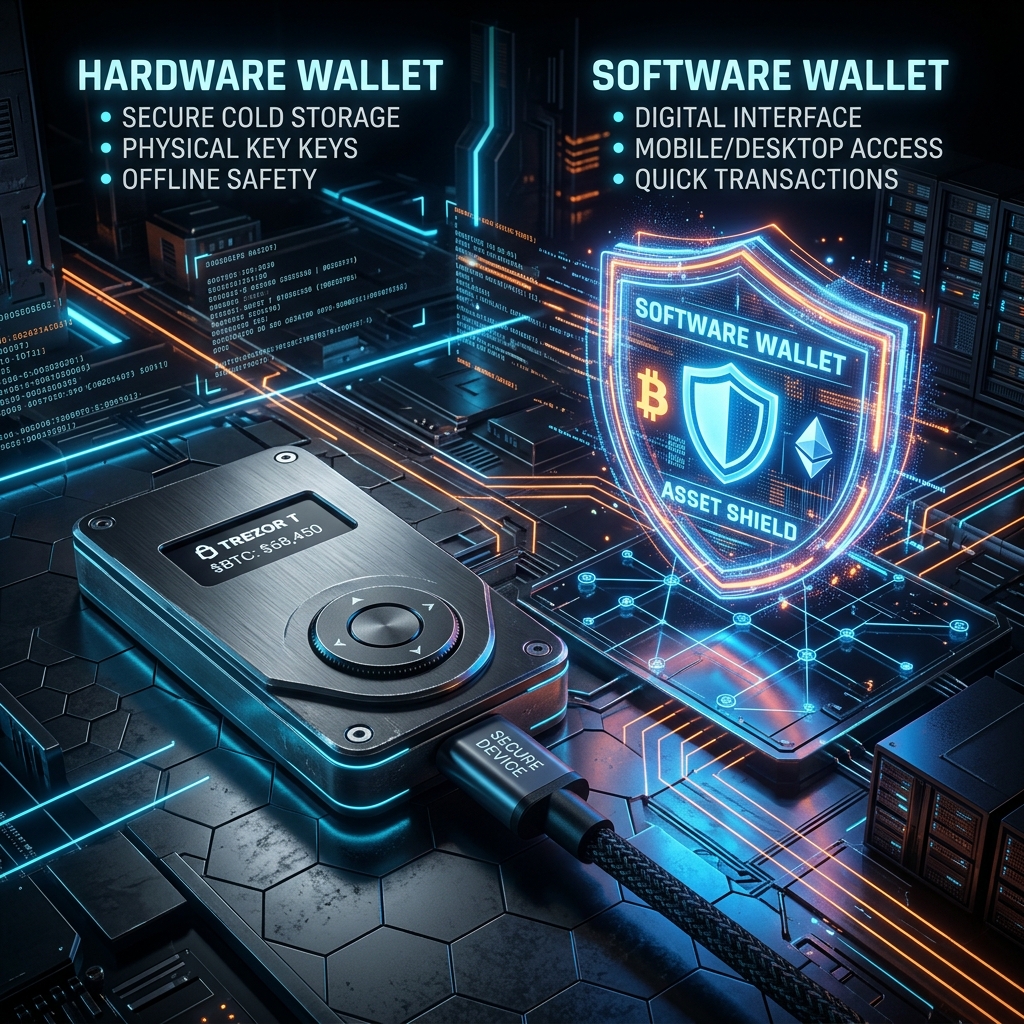
    As cryptocurrency markets scale and Web3 applications integrate deeper into global commerce, the question of asset security has evolved. Storing digital wealth is no longer just about memorizing a password; it requires managing complex cryptographic key infrastructures. For anyone actively trading or holding tokens, the fundamental choice comes down to a battle of architectures: Hardware Wallet vs Software Wallet.

    Each system is built on opposing trade-offs between convenience and vulnerability. In this comprehensive analysis, we will tear down the security frameworks of both cold hardware storage and hot software interfaces, explore the real-world attack vectors targeting each in 2026, and explain why both architectures share a critical vulnerability in the DeFi ecosystem that requires complementary platform-level monitoring.


    1. The Architecture of a Software Wallet (Hot Storage)

    A software wallet (often called a “hot wallet”) is a digital application that resides on an internet-connected device, such as a desktop computer, a smartphone, or a browser extension. Common examples include MetaMask, Rabby, Phantom, and Trust Wallet.

    Cryptographic Storage:

    Unlike traditional bank applications that retrieve balances from a corporate server, a crypto wallet must store your private keys locally to sign on-chain transactions. In a software wallet, your private keys or seed phrase are encrypted using a password you choose and then saved within the device’s local application folder or browser storage partition (such as IndexDB or local storage).

    The Attack Surface of Hot Environments:

    Because the host device (your PC or phone) is connected to the internet, the software wallet is exposed to several critical threat vectors:

    • Memory Extraction Malware: Sophisticated spyware can inspect the memory space (RAM) of your browser or operating system. When you unlock your wallet, the decrypted private key briefly resides in memory, where advanced trojans can dump it and exfiltrate it to remote servers.
    • Clipboard Hijacking: Specialized clipboard drainers monitor your copy-paste history. If you copy a destination address or attempt to back up a seed phrase, the malware instantly swaps the recipient’s address in the clipboard for the attacker’s, tricking you into sending funds to the wrong address.
    • Operating System Zero-Days: If your underlying OS (Windows, macOS, Android) suffers from an unpatched browser exploit or remote code execution vulnerability, an attacker can bypass application sandboxing entirely and read raw application data directory files.

    2. The Architecture of a Hardware Wallet (Cold Storage)

    A hardware wallet (commonly called “cold storage”) is a dedicated physical device engineered solely to manage cryptographic keys. Major models include Ledger, Trezor, Keystone, and GridPlus. The central design principle is simple: your private keys must never touch an internet-connected computer or operating system.

    The Secure Element (SE):

    Premium hardware wallets utilize specialized microchips called Secure Elements (graded EAL5+ or EAL6+), similar to those used in credit cards, passports, and secure military communication modules. These chips are physically designed to resist micro-probing, power-analysis attacks, and physical tampering. Even if you connect the device to a malware-infected computer, the PC can only request a signature; it can never request the private key itself.

    Physical On-Screen Verification:

    The secondary guardrail of a hardware wallet is its independent screen and physical buttons. When a transaction payload is sent to the device, the hardware’s internal firmware parses the raw data and displays the destination address and gas fees on its physical screen. Because this screen is powered directly by the Secure Element and not your PC, it cannot be spoofed by computer-based malware. The transaction is only signed when you physically press the physical buttons on the device.

    The Cold Storage Rule: In cold storage, the signing key is physically isolated. If your computer is fully compromised by a hacker, they can modify the UI of your browser, but they cannot force your hardware wallet to sign a transaction without your physical button confirmation.


    3. Threat Model Comparison: Hardware vs. Software

    To understand the practical trade-offs, we must analyze how each wallet type handles various real-world security scenarios in the table below:

    Threat Vector Software Wallet (Hot) Hardware Wallet (Cold)
    Remote Hacking / Malware High Risk. Keyloggers or memory scrapers can steal keys. Protected. Keys are physically isolated on the Secure Element.
    Physical Theft of Device Medium Risk. Depends on device lock screen strength. Protected. PIN locks and cryptographic wipe limits block access.
    Phishing Web3 Sites High Risk. Easy to sign a malicious contract call. High Risk. User can still manually sign a malicious transaction.
    Cost & Setup Latency Free, instant setup, low signing latency (<1s). Costly ($70-$200+), manual button confirmations required.

    4. The Shared Vulnerability: The DeFi Smart Contract Approval Trap

    There is a critical misconception in the crypto space: “I use a hardware wallet, so my assets are completely safe from hackers.” This is dangerously false in modern DeFi environments.

    Historically, hackers stole crypto by acquiring seed phrases. Today, they leverage Smart Contract Approvals. When you interact with decentralized exchanges (DEXs), lending pools, or NFT marketplaces, the smart contract requests approval to move your tokens. This is standard ERC-20 / ERC-721 functionality (using functions like approve() and setApprovalForAll()).

    How the Trap Works:

    If you visit a phishing site or click a malicious link that spoofs a DeFi protocol, the dApp will generate a transaction request asking for “Unlimited Approval” to spend your USDT or NFTs. If you approve this request—even if you sign it using a physical hardware wallet—you have legally authorized that smart contract address to withdraw tokens from your wallet on-chain at any time in the future.

    Once signed, the attacker does not need your private keys, your hardware wallet, or your computer to empty your balance. They simply call the contract’s transfer function directly from the blockchain node, and the ledger processes it because your signature previously authorized it.

    Defending Against Approval Exploits with XTSG:

    Because hardware isolation cannot protect you from signing a bad transaction approval, you must employ additional layers of defense:

    1. Active Approval Audits: Use the **XTSG Smart Contract Approval Revocation Tool** regularly. This tool inspects your on-chain registry, lists all active spend authorizations, and lets you immediately reset or revoke old allowances.
    2. Real-Time Threat Dashboard: The XTSG threat intelligence dashboard monitors smart contracts for sudden code mutations or blacklisted ownership transfers. If a protocol you are approved to gets exploited, the dashboard alerts you immediately so you can revoke permissions before the drainer scripts execute.

    5. Making Your Decision: Which System to Choose?

    To build an optimal custody strategy, match your wallet setup to your activity profile:

    The Active Trader / DApp User Profile

    If you execute daily swaps, trade memecoins, or mint NFTs, running all interactions through a hardware wallet is cumbersome and slow. Instead, use a **Hybrid Setup**:

    • Maintain a **Hot Software Wallet** containing only your active trading capital. This limits your exposure if you make a mistake on a dApp.
    • Store 90% of your long-term capital in an isolated **Cold Hardware Wallet** that never connects to speculative smart contracts.

    The Long-Term Holder Profile

    If your strategy is strictly buying and holding (HODLing) assets like BTC or ETH, a **Hardware Wallet** is the only logical choice. Keep the device locked, keep your seed phrase backed up on steel sheets, and avoid connecting it to any browser extensions.


    Conclusion: Cold Storage is the Foundation, Security Hygiene is the Shield

    In the Hardware Wallet vs Software Wallet comparison, hardware wallets are undeniably safer for storing keys. However, the ultimate security baseline is your own signing hygiene. A hardware wallet is a lock on your door, but it cannot prevent you from opening the door and handing your assets to an intruder. Combine physical cold storage with active on-chain protection tools like XTSG’s approval revoker, and you will achieve a full-stack, institutional-grade security posture in 2026.


    Frequently Asked Questions (FAQ)

    Can a hardware wallet be hacked if plugged into an infected PC?

    No. The private key never leaves the secure chip. The infected PC can send a transaction request, but the device’s firmware will force you to review the destination address on the physical screen. If the PC malware has modified the address, you will see the mismatch on the device screen and can reject the transaction.

    What happens if I lose my physical hardware wallet?

    Your crypto is not stored on the physical device; it resides on the blockchain ledger. The device is simply a tool to access your keys. If you lose the device, you can purchase a new one (or use a software wallet) and enter your 12-or-24-word backup seed phrase to fully restore all your balances.

    How often should I revoke token approvals?

    It is recommended to run an approval audit using XTSG’s tools at least once a month, or immediately after interacting with a new, unverified DeFi platform. Any unlimited approvals for platforms you no longer use should be revoked immediately.

  • Best browser extensions to protect your crypto wallet in 2026

    Best browser extensions to protect your crypto wallet in 2026

    Historically, stealing someone’s crypto was a game of social engineering. You had to trick a user into revealing their 12-to-24-word recovery phrase. But in 2026, the attack vector has shifted. Today, exploiters rarely ask for seed phrases. Instead, they present you with a seemingly benign signature prompt on a counterfeit Web3 node calibration or a fake token claim site.

    If you are retail investing or trading DeFi daily, you are constantly connected to dApps. This means you are one signature away from draining your hot wallet. If you’ve been asking yourself, “What are the best browser extensions to protect my crypto wallet?, you are asking the right question.

    Browser extensions are your frontline sandbox. In this write-up, we are going to look under the hood of three essential security extensions: Pocket Universe and Revoke cash, and **Wallet Guard**—and examine exactly how they intercept malicious transactions, what they detect, and who they are built for.


    pocket universe

    Pocket Universe: The Pre-Flight Simulator

    If you’ve ever signed a transaction with a cold sweat, you know the feeling. You are signing a hash that looks like 0x89a3... and hoping the contract does what it says. Pocket Universe solves this by running a pre-flight simulation.

    How it Intercepts Transactions

    When a dApp triggers a transaction, Pocket Universe hooks into the browser’s Web3 provider wrapper (window.ethereum). Before the request reaches your wallet (like MetaMask or Rabby), Pocket Universe traps the call. It forks the current mainnet state in a sandbox environment, executes your proposed transaction, and decodes the result.

    What it Detects

    • Asset movement deviations: If the contract claims to be minting an NFT, but the simulation shows 3 ETH leaving your wallet and nothing returning.
    • Malicious Permit signatures: It flags off-chain ERC-2612 permit signatures that grant unlimited spending allowances to unverified addresses.
    • Counterfeit Web3 nodes: Warnings if the dApp tries to force your wallet to switch to a malicious RPC endpoint.

    Who Benefits Most

    DeFi power users and active NFT traders. If you interact with new, unverified smart contracts daily, having a simulator that adds less than 15ms of latency is a no-brainer.


    Revoke logo

    Revoke.cash: The Allowance Sentinel

    Many users believe that disconnecting their wallet from a dApp revokes permissions. It does not. Connection only lets the dApp read your address. The real danger lies in token allowances (approvals), which persist forever until explicitly revoked. The Revoke Cash browser extension is a passive guardrail designed to prevent approval exploits.

    How it Intercepts Transactions

    Revoke. Cash inspects transaction data, specifically looking for ERC-20 approve() or increaseAllowance() and ERC-721/1155 setApprovalForAll() function calls.

    What it Detects

    • Excessive approvals: If a dApp asks for an “unlimited” allowance of a token (which is standard behavior for many protocols but highly risky), revoke. Cash alerts you and lets you edit the approval amount directly in the pop-up before signing.
    • Phishing approvals: It compares the spender address against known databases of malicious contracts.

    Who Benefits Most

    Long-term holders and passive yield farmers. If you deposit funds into a protocol and leave them there, revoke. Cash ensures you don’t leave wide-open backdoors.


    Wallet Guard logo

    Wallet Guard: The Holistic Security Suite

    If Pocket Universe is a transaction scanner and Revoke cash is an allowance editor, Wallet Guard is a full-featured security suite. It packages transaction simulation with web security tools.

    How it Intercepts Transactions

    Wallet Guard operates at both the network layer (analyzing DNS records, domain age, and SSL certs of the page you are on) and the provider layer (trapping RPC calls).

    What it Detects

    • Phishing and domain spoofing: It alerts you if you are visiting a site that was registered 2 hours ago but looks identical to Uniswap or OpenSea.
    • Drainer scripts: It actively scans the page’s scripts for known drainer kits (like MS Drainer or Inferno).
    • Transaction simulation: Like Pocket Universe, it decodes what will leave and enter your wallet.

    Who Benefits Most

    General Web3 retail users and beginners. It provides a broad safety net that catches phishing before you even initiate a transaction.


    Pocket Universe vs. Revoke.cash vs. Wallet Guard: A Comparison

    To help you decide which tool fits your profile, here is how the three stack up:

    • Pocket Universe: Focused on transaction simulation, intercepts transactions at the provider injection level with negligible latency (<15ms), parses gasless signatures, but does not perform domain/DNS scans.
    • Revoke cash: Focused on token approval management, monitors approve(), and setApprovalForAll() functions, zero latency overhead, allows direct allowance editing, and does not run full transaction simulations.
    • Wallet Guard: Holistic security suite, integrates transaction simulation with advanced network-layer scanning (domain age, DNS records, drainer script analysis), adds low latency (<30ms), and parses gasless signatures.

    The Ultimate Defense: Combining Browser Guards with XTSG On-Chain Monitoring

    While browser extensions are excellent for protecting you at the point of click, they are client-side tools. They only work when you are active in the browser.

    To achieve a full-stack security posture, you must pair them with platform-level protection like XTSG’s real-time on-chain risk dashboard.

    Where browser extensions stop the execution of a malicious transaction in your browser, the XTSG dashboard monitors active smart contracts and threat signatures directly on the blockchain. It alerts you to:

    1. Contract mutability changes: When a previously safe contract gets updated or its ownership is transferred to a blacklisted address.
    2. Mempool front-running activity: Identifying active exploits happening to a protocol before the news hits social media.
    3. Threat signature matching: Cross-referencing contract addresses against thousands of active drainer signatures.

    By running a browser extension like Wallet Guard or Pocket Universe to protect your local actions, and monitoring the protocols you use via XTSG, you build a double-layered shield that secures both your browser session and your on-chain assets.


    Frequently Asked Questions (FAQ)

    Do browser extensions protect hardware wallets?

    Yes. If you connect a Ledger or Trezor to MetaMask or Rabby, the browser extension intercepts the transaction payload before it gets sent to the hardware device. This is crucial because hardware wallets cannot decode complex smart contract interactions on their small screens; they only sign what they are given. The extension translates the transaction so you know exactly what your Ledger is signing.

    Can a browser extension steal my crypto?

    Open-source extensions with audited codebases (like the ones reviewed above) do not have access to your seed phrase or private keys. They only read the transaction payload. However, you should always download extensions from official links to avoid malware masquerading as security tools.

    Do I need more than one security extension?

    It is possible to run them together (for example, Wallet Guard for domain scans and Revoke.cash for allowance edits), but running multiple transaction simulators concurrently can cause conflicts in the Web3 provider injection. I suspect running one simulator (like Pocket Universe or Wallet Guard) along with Revoke.cash is the most stable configuration.


    Looking forward to the late 2020s, I suspect browser extensions will eventually disappear as wallets move to native account abstraction (ERC-4337) and MPC structures where simulation is handled at the bundler or wallet-core level. Until then, extensions remain your primary defense line. Stay safe out there.